How to Share Notes Online Without Login
A simple guide for sharing notes online without login, signup, or complicated tools.
Woff field note
Published
4 min read
 Written by Woff Team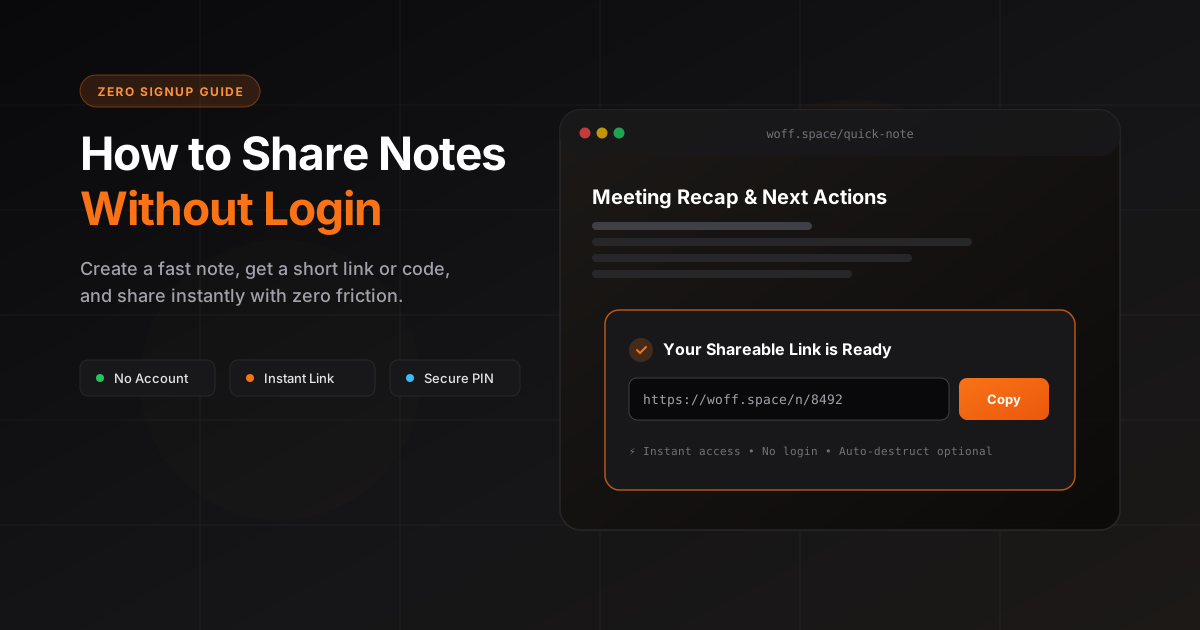
Sharing notes should not feel like setting up a full project management system. Sometimes you just want to write something, create a link, and send it to someone.
That is exactly where no login note sharing tools help.
With Woff Space, you can create a simple shareable space for notes, text, files, images, markdown, and code snippets without creating an account.
Why share notes without login?
Most note apps are built for long term personal organization. They ask you to create an account, verify your email, set up a workspace, invite members, and manage permissions.
That is useful for teams, but too heavy for quick sharing.
No login note sharing is better when you need speed.
You can use it for:
- Sharing quick meeting notes
- Sending class notes to a friend
- Moving text between devices
- Sharing a checklist
- Sending instructions to a client
- Sharing code snippets
- Creating a temporary online workspace
The biggest advantage is frictionless access. The sender does not need to log in. The receiver does not need to install anything.
How Woff Space makes note sharing simple
Woff Space is built around one idea: create a space, add content, share the link.
You do not need to sign up before creating your note. You can open the website, write your content, and instantly generate a shareable space.
A space can include:
- Plain text
- Notes
- Files
- Images
- Markdown
- Code snippets
- Temporary content
This makes it useful for students, developers, designers, founders, support teams, and anyone who needs to share information quickly.
Step by step: how to share notes online without login
1. Open Woff Space
Go to Woff Space from your browser. You can use it from desktop, tablet, or mobile.
2. Create a new space
Click the create space button. This gives you a blank area where you can add your note.
3. Add your content
Write your note, paste text, add useful details, or include files if needed.
Keep the note clear and organized so the receiver can understand it quickly.
4. Copy the shareable link
Once your note is ready, copy the link.
5. Send it anywhere
Share the link through WhatsApp, Messenger, Slack, Discord, email, or any other platform.
The receiver can open the link in their browser.
When should you use no login notes?
Use no login note sharing when the content is quick, lightweight, and does not need a full account based workflow.
Good use cases:
- A student sharing lecture notes
- A developer sharing a quick bug explanation
- A designer sharing copy ideas
- A founder sending instructions to a teammate
- A support agent sending troubleshooting steps
- A freelancer sharing project notes with a client
It is especially useful when speed matters more than long term document management.
Is it safe to share notes without login?
It depends on what you share.
No login tools are perfect for simple and temporary information. But you should avoid adding sensitive data such as passwords, private keys, banking details, personal identity documents, or confidential company data.
A good rule is simple: if you would not send it in a normal message, do not put it in a public note link.
For private information, use proper access control, password protection, or a secure document tool.
Woff Space vs traditional note apps
Traditional apps are good for storing knowledge. Woff Space is better for quick sharing.
Notion, Google Docs, and Evernote are great when you need structured long term documentation. But for quick notes, they can feel heavy.
Woff Space works better when you need:
- No signup
- Fast sharing
- Simple interface
- Shareable link
- Temporary note space
- Quick collaboration
Tips for better shared notes
A good shared note should be easy to scan.
Use:
- A clear title
- Short paragraphs
- Numbered steps
- Simple language
- Relevant links
- Clear next actions
Avoid messy copy paste dumps. The faster someone understands your note, the better the experience.
Final thoughts
Sharing notes online should be instant. You should not need to create an account just to send a few lines of text or a simple instruction.
Woff Space gives you a fast way to create a shareable note space without login.
Create a space, add your note, copy the link, and share it.
Useful answers
Frequently asked questions
Can someone read a shared note without creating an account?
Yes. A recipient can open a Woff space from its link or four-digit code without creating a traditional account.
What should I avoid putting in a quick shared note?
Do not share passwords, access tokens, private keys, banking information, identity documents, or confidential customer data.