Best Online Notepad With Shareable Link
Looking for an online notepad with a shareable link? Woff Space lets you write, save, and share notes instantly without signup.
Woff field note
Published
4 min read
 Written by Woff Team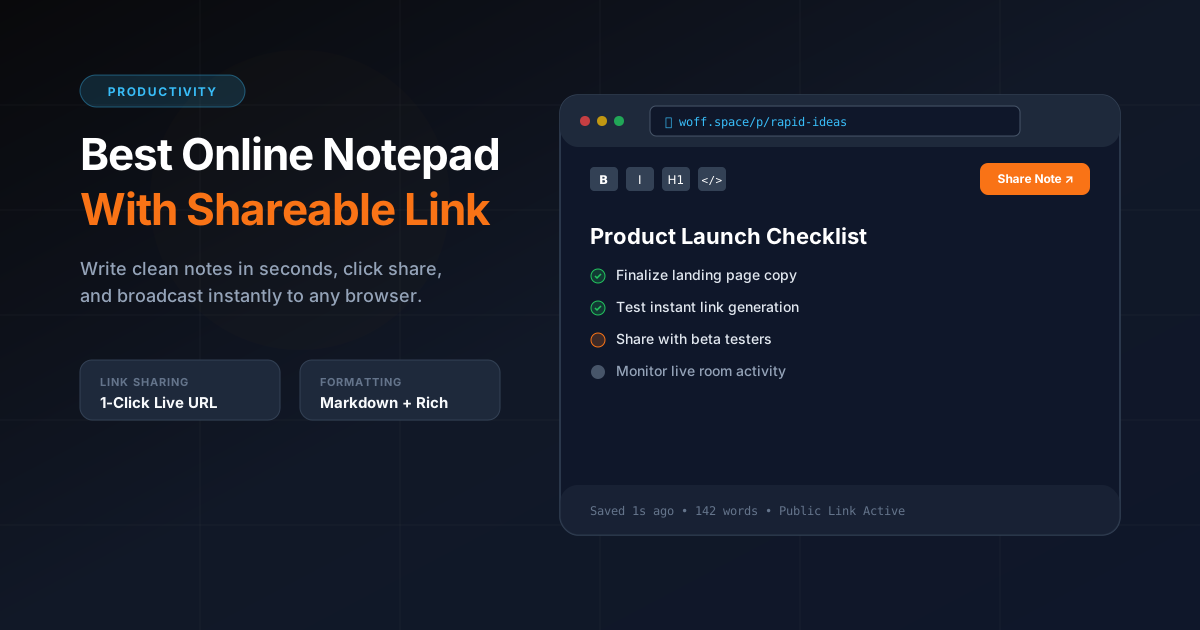
An online notepad becomes much more useful when it gives you a shareable link.
Instead of copying text from one app to another, you can create a note, copy the link, and send it to anyone.
That is why Woff Space is designed as a simple online notepad with shareable spaces. It helps you write and share notes instantly without forcing you to create an account.
What is an online notepad with a shareable link?
An online notepad with a shareable link is a browser based writing space where you can create a note and share it through a URL.
The receiver opens the link and sees the content.
This is useful when you need to share information quickly without sending attachments, screenshots, or long messages.
Why a shareable link is better than copy paste
Copy paste works for small text, but it gets messy when the content is long or structured.
A shareable notepad link is better because:
- The content stays in one place
- The receiver can open it anytime
- Long notes are easier to read
- You can share it across any platform
- It feels cleaner than sending multiple messages
- It works on desktop and mobile
For quick communication, a link is often the cleanest format.
Best use cases for a shareable online notepad
1. Meeting notes
After a meeting, you can write the key points in Woff Space and share the link with your team.
This is faster than creating a full document.
2. Study notes
Students can share class notes, exam topics, reading lists, or assignment instructions with friends.
3. Client instructions
Freelancers can create a quick note for project feedback, deliverables, or task lists.
4. Developer notes
Developers can share bug details, code snippets, setup instructions, or command examples.
5. Personal reminders
You can move a note from your laptop to your phone by creating a link and opening it on another device.
What makes a good online notepad?
A good online notepad should be fast, simple, and focused.
Look for these qualities:
- No forced signup
- Clean writing experience
- Fast page load
- Shareable link
- Mobile friendly design
- Support for different content types
- Simple privacy behavior
- No unnecessary clutter
The best notepad is the one that gets out of your way.
Why Woff Space is a strong option
Woff Space is useful because it combines a simple notepad with instant sharing.
You can create a space and share different types of content, including notes, files, images, markdown, and code snippets.
It is not trying to replace complex documentation tools. It solves a smaller but important problem: fast sharing without friction.
Woff Space vs Google Docs
Google Docs is powerful, but it needs more setup. You usually need an account, permission settings, and document management.
Woff Space is better when you need quick sharing.
Use Google Docs for formal documents.
Use Woff Space for instant notes and lightweight sharing.
Woff Space vs messaging apps
Messaging apps are fast, but notes often get lost inside the conversation.
A shareable note link keeps the content separate and easier to find.
This is useful when the content should be read as one clean page instead of scattered messages.
How to create a shareable online note
Using Woff Space is simple.
- Open Woff Space
- Create a new space
- Write or paste your note
- Add files or extra content if needed
- Copy the shareable link
- Send it to anyone
That is the full workflow.
Tips for writing better shareable notes
Use a strong title so the receiver knows what the note is about.
Break your note into sections.
Use short paragraphs.
Add action items at the end.
Keep important links visible.
A shareable note should be easy to read within seconds.
Final thoughts
The best online notepad with a shareable link is not the one with the most features. It is the one that lets you write and share quickly.
Woff Space is built for that exact job.
It gives you a simple way to create a note, generate a link, and share it without login.