Online Notepad vs Full Note-Taking Apps – When You Need Which One
When to use a lightweight online notepad vs a full note-taking app — strengths, tradeoffs, and workflows.
Woff field note
Published
2 min read
 Written by Woff Team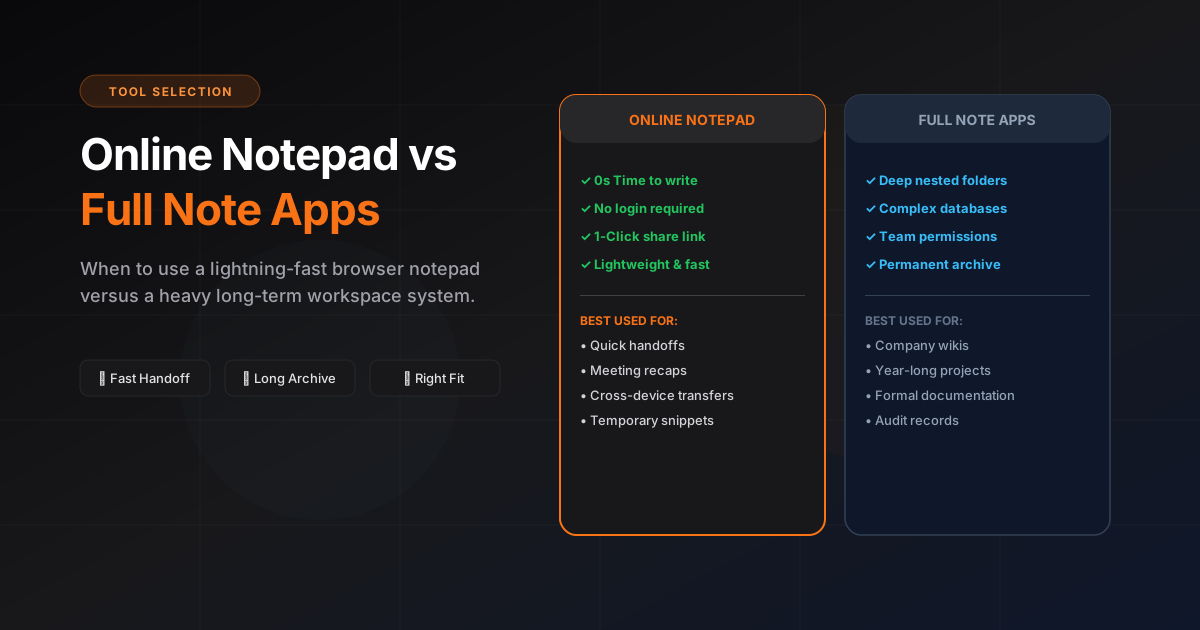
Use an online notepad for speed: quick capture, share a link, move on.
Use full apps for structure: collaboration, formatting, and long-term archives.
Pick the fastest tool for each step in your workflow, not one tool for everything.
The real difference is commitment
An online notepad minimizes the commitment needed to begin and share. A full note-taking app asks for more setup in exchange for organization, search, permissions, integrations, and long-term continuity.
Choose an online notepad when
- The information is temporary or time-sensitive
- The recipient should open it without onboarding
- You need to combine a short explanation with an image or file
- A link is more convenient than an attachment
Choose a full note-taking app when
- The note belongs to a long-running project
- Several people need formal editing roles or comments
- Search, history, templates, and integrations are essential
- Retention and administrative controls matter
A two-tool workflow is often better
Capture and hand off quickly in the lightweight tool, then promote the small percentage of durable information into the team’s system of record. This preserves speed without sacrificing organization.