What Is an Online Notepad and Why It's Faster Than Docs or Email
Learn what an online notepad is and why it's the fastest way to capture and share quick notes compared to Docs or email.
Woff field note
Published
2 min read
 Written by Woff Team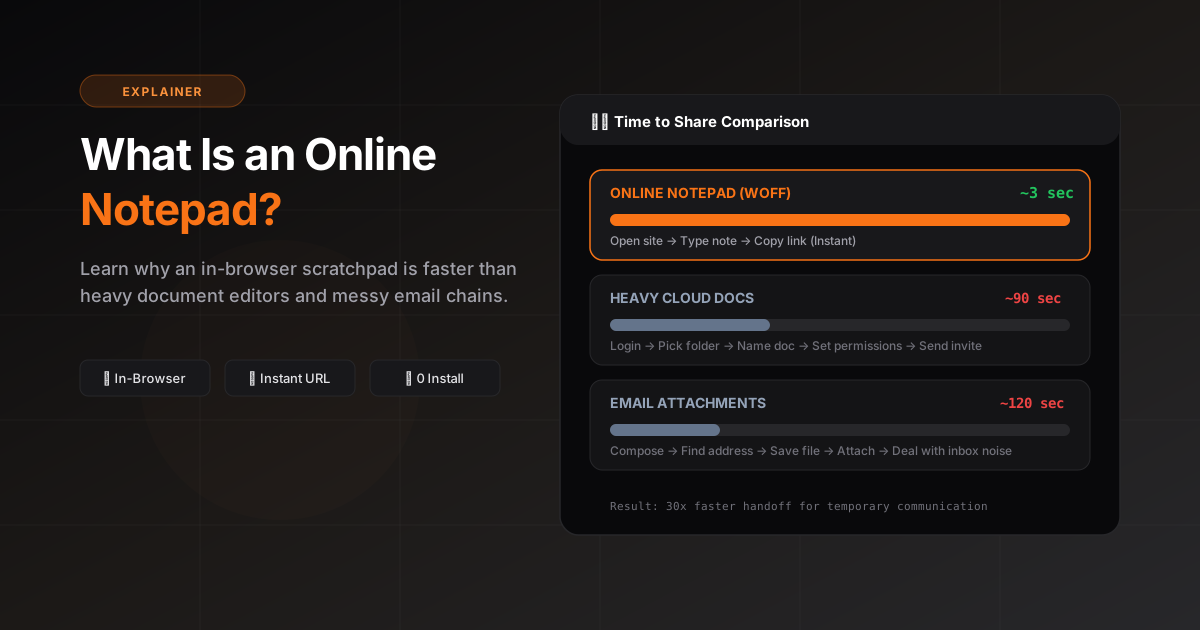
An online notepad is a lightweight, in-browser editor where you can type or paste text and share it instantly with a link.
Unlike email or full document tools, it removes setup steps — no files, permissions, or formatting overhead to slow you down.
With Woff, you open a page, write your note, click Share, and send one link. There's no login required for quick sharing.
Use it for quick instructions, ideas, code snippets, or text you need to move across devices in seconds.
When you need collaboration, structure, or long-term archives, a full doc app makes sense — but for speed, an online notepad wins.
What makes it different from a document editor?
A document editor is designed for deliberate formatting and longer-lived work. An online notepad favors immediate capture and low-friction sharing. Both run in a browser, but they optimize different moments.
Common online notepad workflows
- Move a block of text from phone to computer
- Send troubleshooting steps during a support conversation
- Share a temporary checklist or meeting summary
- Pair a code snippet with a screenshot or log file
What to look for
A useful online notepad should load quickly, work well on mobile, make sharing obvious, and explain its privacy and retention model. Extra formatting is valuable only when it does not slow down the main job.
When not to use one
Choose a system with stronger access controls and retention guarantees for confidential business records, regulated data, passwords, or documents that require formal approval history.